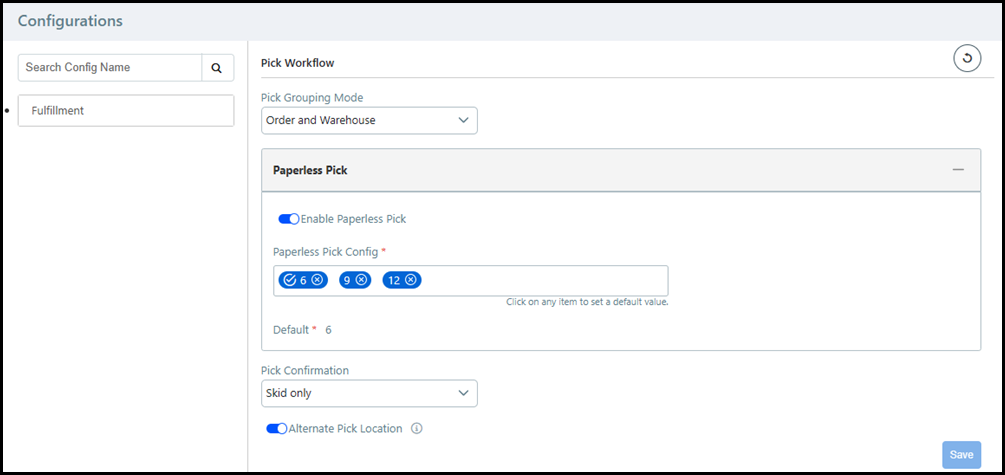
The Configurations page contains the site settings for MarketDirect Fulfillment.
1 Go to Administration > Configurations.
2 Click the Fulfillment tab.
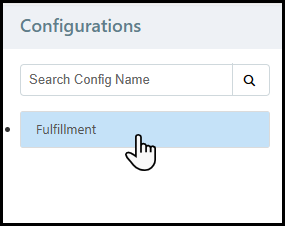
3 Choose the appropriate sub-tab from the drop-down list:
● Barcode
● Rental
You can search for a Configuration page setting by using the Search Config Name field. Enter a search term into the field and click the magnifying glass.
4 Configure the appropriate settings by choosing from a drop-down list, entering a value into a field, or enabling a toggle switch.
5 Click Save.
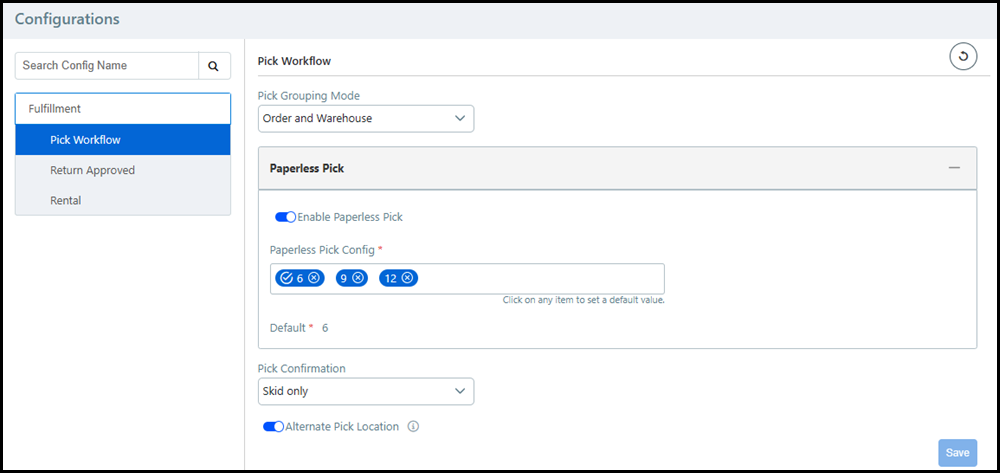
Pick Grouping Mode: Choose how Fulfillment generates pick slips per order.
Order: Fulfillment generates a single pick slip per order.
Order and Warehouse: Fulfillment generates a pick slip for each warehouse containing items in the order. Each pick slip will have a unique Pick ID.
Enable Paperless Pick: Select the toggle to enable the paperless pick workflow.
Paperless Pick Config: Enter the number of totes the pickers will use at one time. Click a tote number to make it the default selection in Mobile Fulfillment.
You can have multiple pick configuration options.
Pick Confirmation: Choose the confirmation method for items picked using Mobile Fulfillment. The confirmation method can be scanning a single barcode or a series of barcodes.
Skid: Confirm picked item by scanning the skid ID barcode.
Barcode: Confirm picked item by scanning the product barcode.
Location: Confirm picked items by scanning the location barcode.
Tote: Confirm picked items by scanning the tote barcode.
If there are multiple barcodes to scan during pick confirmation, then the first barcode listed must be scanned first. For example, if you choose Location and Tote, then you must scan the Location barcode first and the Tote barcode second.
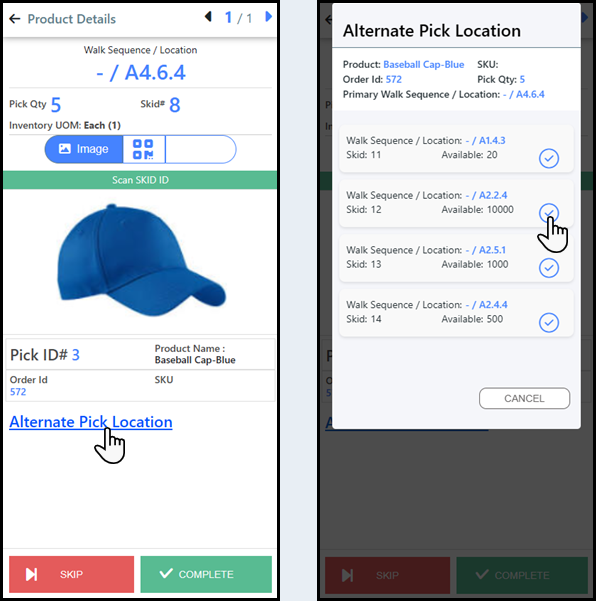
Alternate Pick Location: Select the toggle to enable alternate pick locations, which allows pickers to choose a pick location in Mobile Fulfillment.
FF-Inventory
products are often stored in
multiple locations, but only the primary pick location appears on the
Product Details page. The primary pick location is the top location in
the Manage Inventory table on the Inventory
tab of the Product Information
page. When Alternate Pick Location
is enabled, a link will be available
on the Product Details page that opens the Alternate Pick Location window.
Pickers will then be able to choose their pick location for the item.
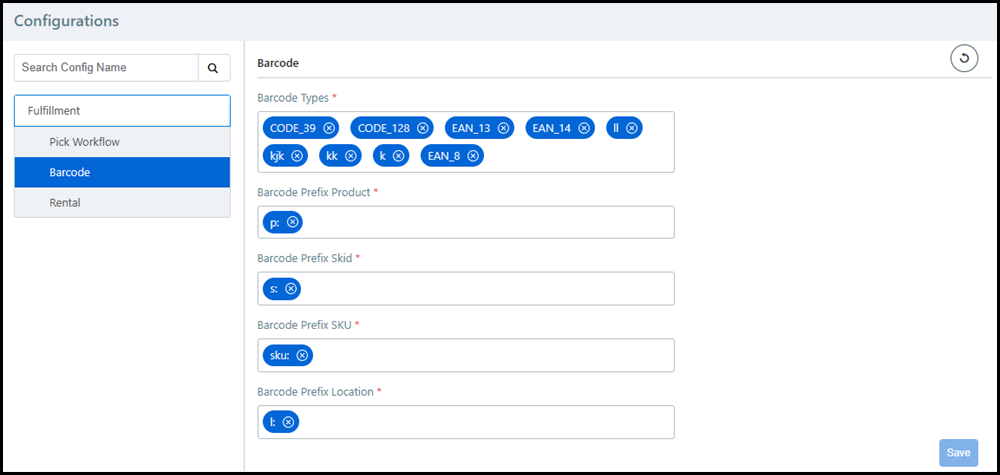
Barcode Types: Specify the type(s) of barcodes your MarketDirect Fulfillment account can read. To add a barcode to the list, type out the full name and press the Enter key.
You must know the barcode type name and enter it correctly, or it will not be supported. Examples include UPC-A, Code 128, and Codabar.
Barcode prefixes help administrators determine what the barcode is referencing. For example, you may have a Product ID, Skid ID, and SKU each with the numeric value of 123. The barcode prefix will let you know if the numeric value of 123 is referencing the Product ID, Skid ID, or SKU. MarketDirect Fulfillment will generate barcodes with these prefixes in different areas of the application. Administrators can also add these prefixes to barcodes they create using a third-party application. To add a barcode prefix to the list, type out the prefix and press the Enter key.
Barcode Prefix Product: The barcode is referencing the product ID.
Barcode Prefix Skid: The barcode is referencing the skid ID.
Barcode Prefix SKU: The barcode is referencing the SKU (stock-keeping unit).
Barcode Prefix Location: The barcode is referencing the warehouse location.
You can enter multiple prefixes for each prefix type that will be available for barcode scans. Do not enter the same prefix for multiple prefix types.
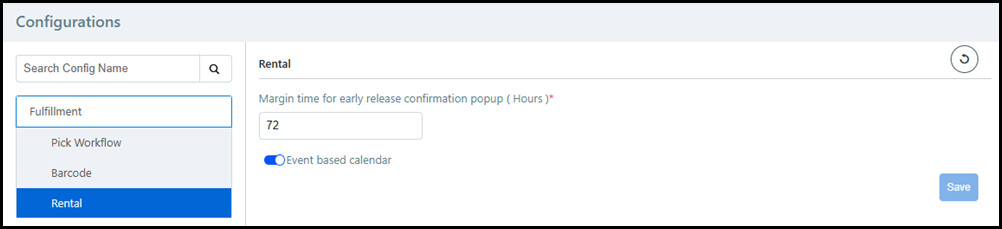
Margin time for early release confirmation popup (Hours): This setting provides a warning notification about releasing a Rental item too early. If the Rental item is released in a time period (measured in hours) greater than the specified time, then a warning will appear to verify that the item should be released.
Once a rental item is released, MarketDirect Fulfillment locks the quantity and skid for that order. If another buyer orders the same rental items for an earlier date, they will not be able to place their order because the items are locked.
Event based calendar: This setting changes the shopping cart workflow for the buyer when they are ordering Rental items.
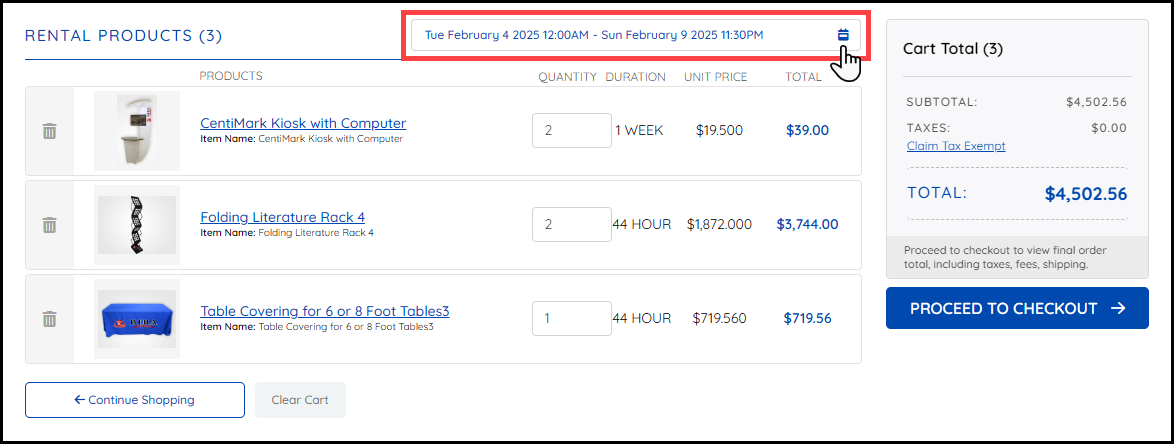
If the Event based calendar setting is enabled, then the buyer will choose a rental date and time for all Rental items in their shopping cart using the same calendar.
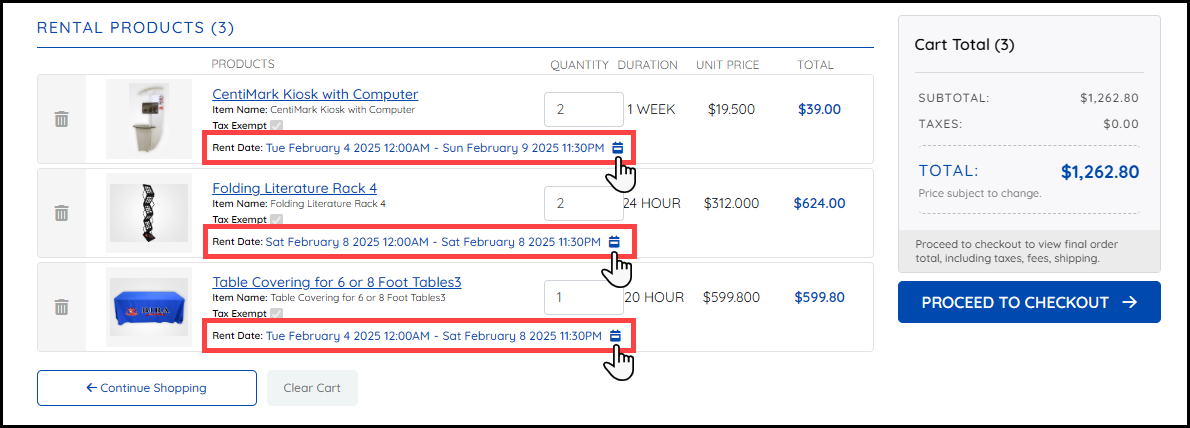
If the Event based calendar setting is disabled, then the buyer will choose a rental date and time for each Rental item in their shopping cart using an item specific calendar.
● Site Settings - Basic Settings Tab